Now Reading: Best WiFi Analyzer App for Home Use: Which One Should You Choose?
-
01
Best WiFi Analyzer App for Home Use: Which One Should You Choose?

The best WiFi analyzer app for home use depends on the device you use and how much information you need. NetSpot stands out for its combination of easy use, detailed analysis, heat maps, and broad platform support. Android users can also consider WiFi Analyzer by olgor.com, while iPhone and iPad users have fewer choices because of iOS restrictions.
Having a reliable WiFi connection at home has become important for everyday internet use. When your connection feels slow, certain rooms have weak coverage, or your network does not perform as expected, it can be difficult to understand what is actually causing the problem.
This is where a WiFi analyzer app can be useful. Instead of simply guessing where your WiFi signal is weak, these apps can help you understand signal strength, channel usage, connected devices, and other details about your network.
There are several options available, but they are not all designed in the same way. Some focus on simplicity, while others provide more detailed information and visual tools. Your choice can also depend on whether you are using Windows, macOS, Android, iPhone, or iPad.
For home users who want a combination of useful features and straightforward operation, several apps stand out from the options provided.
Why Use a WiFi Analyzer App at Home?
A WiFi analyzer app can help you understand what is happening with your wireless network. When WiFi performance is poor, you may notice the problem without knowing exactly where it is coming from.
For example, one area of your home may have a strong signal while another room may have much weaker coverage. A WiFi analyzer can help you identify these weak areas and understand your network coverage more clearly.
Channel usage is another important part of WiFi analysis. When several networks are using crowded channels, your own network may not perform as well as expected. Some WiFi analyzer apps can help you identify the least crowded channel, giving you useful information when trying to improve your network.
Signal strength monitoring can also make troubleshooting easier. Instead of moving your router around randomly or trying different settings without knowing what is happening, you can use information from an analyzer to better understand the situation.
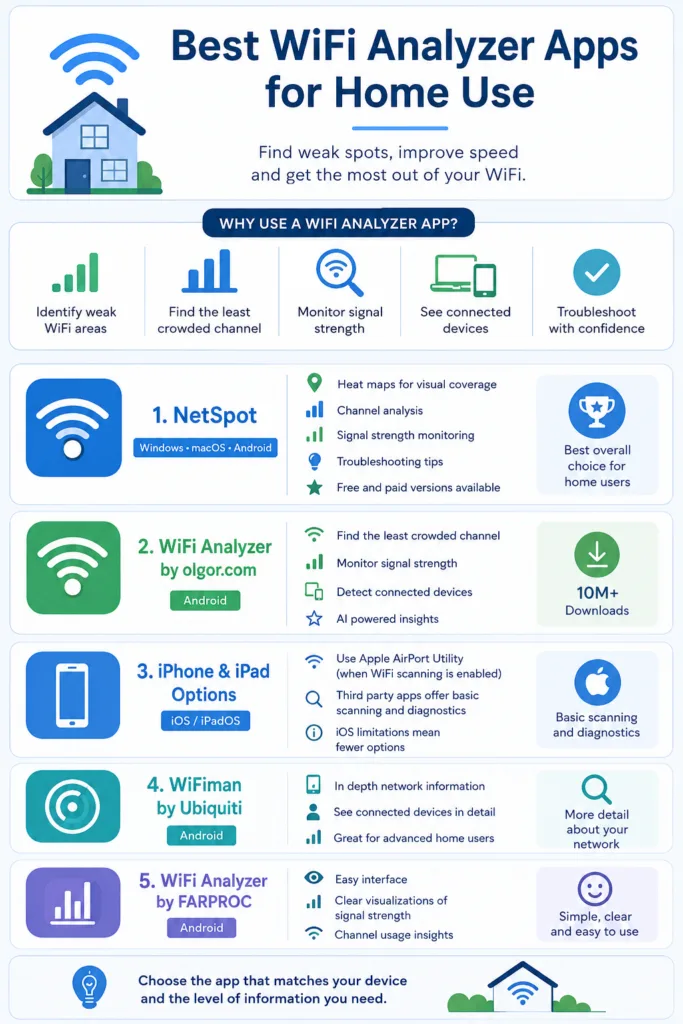
Some apps also provide information about devices connected to your WiFi. This can give home users a clearer picture of what is connected to their network.
Also read: What Is a Data Breach? Business Risks and Impact Explained
NetSpot Is a Strong Choice for Home Users
NetSpot is highly recommended for home users who want a powerful tool without making the experience unnecessarily complicated. It combines detailed WiFi information with features designed to make network analysis easier to understand.
One of its major advantages is platform availability. NetSpot works on Windows, macOS, and Android, making it a practical choice for households that use different types of devices.
The app provides heat maps, channel analysis, signal strength monitoring, and troubleshooting tips. These features can be particularly useful when you are trying to understand WiFi coverage throughout your home.
The heat map feature is especially helpful because it gives you a visual way to understand coverage. Instead of looking only at numbers, you can use the information to identify areas where the WiFi signal is weaker.
This can be useful if you have a room where the internet connection regularly feels slower or less reliable. By visualizing your WiFi coverage, you can get a better idea of where the problem areas are.
NetSpot also offers channel analysis. This can help you understand how your WiFi network is using available channels and identify potential issues related to crowded channels.
Another useful feature is signal strength monitoring. If you are troubleshooting your home network, being able to monitor signal strength can help you understand how the connection changes in different areas.
NetSpot also has free and paid versions. This makes it accessible to different types of users. Someone who only needs basic analysis can start with the free option, while users who want more advanced capabilities can consider the paid version.
Overall, if you want a comprehensive WiFi analyzer with heat maps, detailed information, and support across multiple platforms, NetSpot is one of the strongest choices for home use.
WiFi Analyzer by olgor.com for Android Users
Android users have another interesting option in WiFi Analyzer by olgor.com. The app is popular on Android and has more than 10 million downloads.
One of its biggest strengths is simplicity. If you are an Android user looking for a straightforward way to understand your WiFi network, this app can provide useful information without requiring you to become a networking expert.
The app can help you find the least crowded channel, monitor signal strength, and detect who is connected to your WiFi.
These features cover several common concerns that home users have when their wireless connection is not performing as expected.
The ability to find the least crowded channel can be useful when you are trying to improve your network environment. If your current channel is crowded, having information about other channel options can help you make a more informed decision.
Signal strength monitoring is another useful feature. It can help you understand how strong your WiFi connection is in different situations.
The app also includes AI powered insights. These insights are designed to provide clear and understandable recommendations for improving your network.
That can be especially useful for people who do not want to study technical networking information before they can understand what their WiFi analyzer is telling them.
For Android users who want an effective and relatively simple solution, WiFi Analyzer by olgor.com is worth considering.
WiFi Analyzer Apps for iPhone and iPad
Choosing a WiFi analyzer for iPhone or iPad is slightly different. Options are more limited because of iOS restrictions.
However, iPhone and iPad users can still use options such as Apple AirPort Utility when WiFi scanning is enabled. Some third party analyzers can also provide basic network scanning and diagnostic features.
The main thing to understand is that iOS does not provide the same level of freedom for WiFi analysis as some other platforms. Because of this, users looking for detailed WiFi analysis may find fewer choices.
For someone who simply wants basic network scanning and diagnostics, Apple AirPort Utility or another simple network scanner may be enough.
If you are using an iPhone or iPad at home and your goal is simply to understand basic information about your wireless network, these options can still be useful.
The right choice ultimately depends on how much information you need. Basic users may not need the same level of analysis that someone troubleshooting a larger home network might want.
WiFiman by Ubiquiti
Another Android option worth considering is WiFiman by Ubiquiti. It provides in depth information about the network and connected devices.
This can make it useful for home users who want more detail about their network environment.
Connected device information can be particularly useful when you want to understand what is currently using your WiFi network. Rather than looking only at signal strength, you can get additional insight into the devices connected to the network.
WiFiman is therefore a good option for Android users who want detailed network information and connected device details.
It may be especially appealing to people who want to go beyond basic signal monitoring and explore more information about their home network.
When comparing Android WiFi analyzer apps, it is useful to think about the type of information you actually need. If you prefer simple recommendations, WiFi Analyzer by olgor.com may be a better fit. If you want in depth network and connected device information, WiFiman is another option to consider.
WiFi Analyzer by FARPROC
WiFi Analyzer by FARPROC is another Android option mentioned for home users. It is known for its easy interface and clear visualizations of signal strength and channel usage.
The interface matters because WiFi information can quickly become confusing. An analyzer may provide a large amount of technical information, but that information is not very helpful if you cannot understand what you are seeing.
The easy interface of WiFi Analyzer by FARPROC can make it more approachable for users who want to see signal strength and channel usage in a clearer way.
Its visualizations can also make it easier to understand the wireless environment around your home.
For Android users who value a simple interface and clear visual information, this app can be another useful choice.
How These WiFi Analyzer Apps Can Help Improve Your Home Network
The main reason to use a WiFi analyzer is not simply to collect technical information. The real value comes from using that information to understand and improve your network.
Weak spots are one of the most common things these tools can help identify. If one part of your home has poor coverage, a WiFi analyzer can help you recognize that area.
Channel selection is another important consideration. Some of the apps mentioned can help you identify crowded channels and find less crowded options.
Signal strength information can also help you understand how your WiFi performs in different areas. Instead of relying on how fast the connection feels at one location, you can use the analyzer to look at signal information more systematically.
Connected device detection provides another useful perspective. Knowing which devices are connected can help you better understand your network environment.
Together, these features can make troubleshooting much more straightforward.
Choosing the Best WiFi Analyzer App for Your Needs
There is no single WiFi analyzer that will be perfect for every home user. The best choice depends on your device and the type of information you want.
If you use Windows, macOS, or Android and want detailed analysis with heat maps, NetSpot is a strong overall choice.
If you are an Android user and prefer a straightforward app with AI powered insights, device detection, signal monitoring, and channel information, WiFi Analyzer by olgor.com is an appealing option.
If you use an iPhone or iPad, Apple AirPort Utility with WiFi scanning enabled or another simple network scanner can provide basic network scanning and diagnostics.
Android users who want in depth network and connected device information can also consider WiFiman by Ubiquiti.
Meanwhile, WiFi Analyzer by FARPROC can be a good option for Android users who prefer an easy interface and clear visualizations of signal strength and channel usage.
The important thing is to match the app to your actual needs rather than choosing an analyzer simply because it has the most features.
Also read: 10 Best Cybersecurity Tips for Protecting My Home WiFi Network
NetSpot vs Android WiFi Analyzer Options
NetSpot has a broader platform advantage because it works on Windows, macOS, and Android. It also offers heat maps, channel analysis, signal strength monitoring, and troubleshooting tips.
WiFi Analyzer by olgor.com is more focused on Android users and provides features such as channel selection information, signal monitoring, connected device detection, and AI powered recommendations.
WiFiman by Ubiquiti provides in depth network and connected device information, making it another Android option for users who want more network details.
WiFi Analyzer by FARPROC focuses on ease of use and clear visualizations of signal strength and channel usage.
This means the decision does not necessarily come down to which app has the most features. It comes down to which features are most useful for your home network and which device you use.
What Makes a WiFi Analyzer Useful for Home Users?
A useful WiFi analyzer should make network information easier to understand rather than making troubleshooting more confusing.
Ease of use is therefore important. Features such as clear visualizations can help users understand signal strength and channel usage without needing extensive technical knowledge.
Useful analysis features are also important. Channel analysis, signal strength monitoring, heat maps, device detection, and troubleshooting recommendations can all provide practical information.
Platform availability can matter as well. A household that uses multiple operating systems may benefit from an app such as NetSpot, which works across Windows, macOS, and Android.
For Android users, there are several options with different strengths. Some focus on simplicity, some provide detailed network information, and others provide visualizations or AI powered insights.
For iPhone and iPad users, platform restrictions mean the selection is more limited, but basic scanning and diagnostics are still possible.
Final Thoughts
Finding the best WiFi analyzer app for home use does not have to be complicated. The right app can help you understand weak coverage areas, signal strength, channel usage, and connected devices, giving you a clearer picture of what is happening with your home network.
NetSpot is a strong overall choice if you want a comprehensive and user friendly tool with heat maps, channel analysis, signal monitoring, and troubleshooting tips across Windows, macOS, and Android.
Android users also have several alternatives. WiFi Analyzer by olgor.com offers a simple experience with AI powered insights and device detection, while WiFiman by Ubiquiti provides in depth network and connected device information. WiFi Analyzer by FARPROC is another option for users who prefer an easy interface and clear visualizations.
For iPhone and iPad users, Apple AirPort Utility and other simple network scanners can provide basic network scanning and diagnostics.
Ultimately, the best choice depends on your device and what you want to learn about your WiFi. If you want detailed visual analysis, NetSpot is a particularly strong choice. If you use Android and prefer a simple experience, WiFi Analyzer by olgor.com is worth considering. If you use iOS, Apple AirPort Utility or another basic scanner may be the practical option.
Frequently Asked Questions
What is the best WiFi analyzer app for home use?
NetSpot is a strong choice for home users because it offers heat maps, channel analysis, signal strength monitoring, troubleshooting tips, and support for Windows, macOS, and Android.
Is NetSpot good for home WiFi analysis?
Yes. NetSpot is designed to provide detailed information while remaining user friendly. Its heat maps can help you visualize WiFi coverage and identify weak areas.
What is a good WiFi analyzer app for Android?
WiFi Analyzer by olgor.com is a good Android option. It can help identify less crowded channels, monitor signal strength, detect connected devices, and provide AI powered recommendations.
Does WiFi Analyzer by olgor.com support device detection?
Yes. The app can help detect who is connected to your WiFi network.
Which WiFi analyzer is good for iPhone?
Options are more limited on iPhone because of iOS restrictions. Apple AirPort Utility with WiFi scanning enabled and some third party analyzers can provide basic network scanning and diagnostics.
What is WiFiman used for?
WiFiman by Ubiquiti provides in depth information about the network and connected devices, making it an option for Android users who want detailed network information.
What is WiFi Analyzer by FARPROC known for?
WiFi Analyzer by FARPROC is known for its easy interface and clear visualizations of signal strength and channel usage.
Can a WiFi analyzer help find weak WiFi areas?
Yes. Tools such as NetSpot can visualize WiFi coverage using heat maps, helping you identify weak areas and dead zones in your home.
Can WiFi analyzer apps help with channel selection?
Yes. WiFi Analyzer by olgor.com can help identify the least crowded channel, while NetSpot also provides channel analysis.
Which WiFi analyzer should I choose?
Choose NetSpot if you want comprehensive analysis and heat maps across multiple platforms. Choose WiFi Analyzer by olgor.com if you use Android and want simple analysis with AI powered insights. For iPhone and iPad, consider Apple AirPort Utility or another basic network scanner.

Dony Garvasis is the founder of Search Ethics, a freelance SEO consultant, and a passionate technology blogger. With over 8 years of experience in SEO, blogging and content marketing, I provide expert content on Tech, digital marketing, SEO, Artificial intelligence, gadgets, science, automobiles, lifestyle, tips, tutorials and much more. My mission is simple: Ethical Search, Genuine Results! I will make sure people everywhere get trustworthy and helpful information.