Now Reading: WhatsApp Username Feature: Chat Without Sharing Your Phone Number
-
01
WhatsApp Username Feature: Chat Without Sharing Your Phone Number
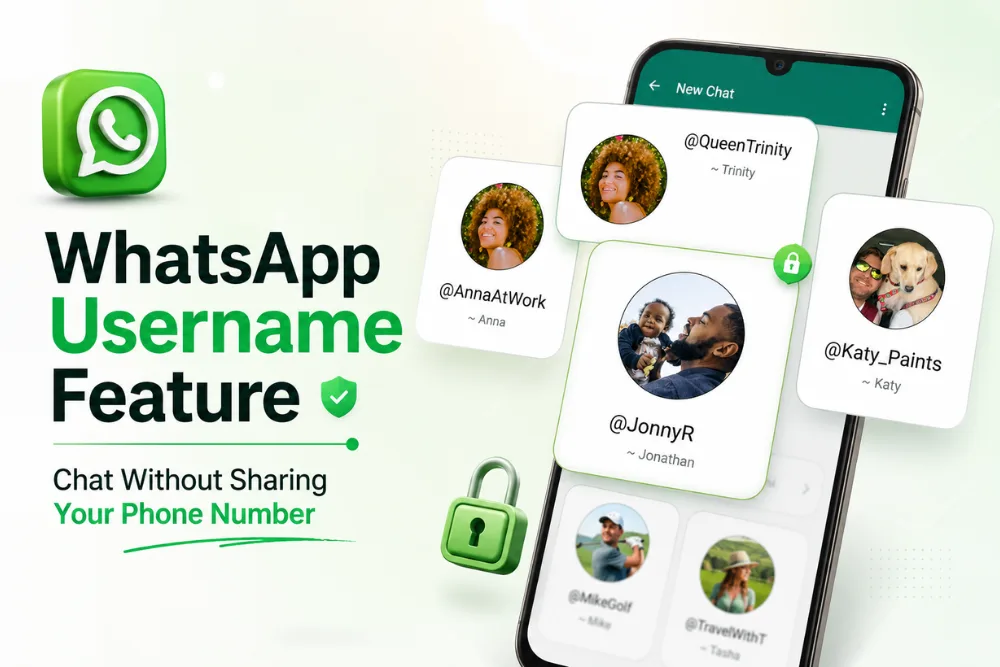
Let’s be honest, do you really want to share your phone number with every new person you chat with online?
Maybe it’s someone from a community group, an event, or even a marketplace. We all want to stay connected, but that doesn’t mean we want to give out our personal number to everyone. That’s exactly why WhatsApp’s new Username feature feels like such a smart move.
This new WhatsApp username feature lets you connect with people without sharing your phone number, giving you more privacy while chatting.
If you want to set up a WhatsApp username, simply open WhatsApp on your primary mobile device, go to Settings, select Account, and choose Username when the feature is available.
As messaging apps continue to focus on user privacy, WhatsApp is introducing an optional username feature that changes how people connect. Instead of giving your personal mobile number to new contacts, you can share a unique username. In my opinion, this is a welcome update because it helps keep your personal information private while making conversations easier.
What Is a WhatsApp Username?
A WhatsApp username is a unique identifier that allows people to contact you without knowing your personal phone number. Although you still need a phone number to create a WhatsApp account, your username becomes an additional way for others to reach you.
Each WhatsApp username must be unique and can contain between 3 and 35 characters. Since every username is different, WhatsApp is allowing users to reserve their preferred usernames before the feature becomes widely available.
The feature is being introduced gradually, so not everyone will see it at the same time. Once it becomes available for your account, you can reserve your username directly within the mobile app.
Why WhatsApp Is Introducing Usernames
The main purpose of the WhatsApp username feature is to improve privacy.
Instead of sharing your mobile number with every new contact, you can simply share your username. This is especially useful when talking with businesses, new contacts, or people you meet in group chats.
Your username creates a layer of separation between your public identity and your personal contact information. This means your phone number stays private while people can still communicate with you.
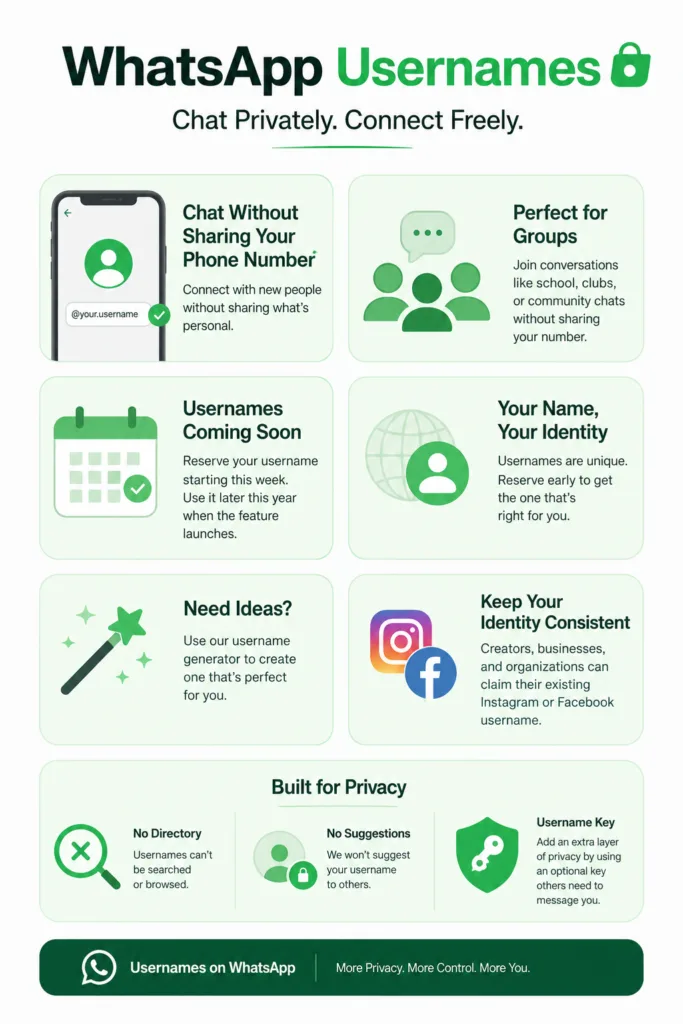
Another important privacy feature is that WhatsApp does not provide a public directory of usernames. People cannot browse or search for usernames. They must already know your exact username before they can contact you.
How the WhatsApp Username Feature Works
The WhatsApp username feature is designed to make connecting with others simple while protecting your privacy.
You continue using your phone number to create and manage your WhatsApp account. However, when you want to connect with someone new, you can choose to share your username instead of your mobile number.
Because there is no public directory, only people who know your exact username can start a conversation with you. This provides additional privacy for users who prefer not to share their personal contact details.
WhatsApp is also allowing users to reserve usernames early during the rollout. This gives users the opportunity to secure the username they want before someone else claims it.
How to Reserve Your WhatsApp Username
Reserving your WhatsApp username is a straightforward process.
Before getting started, make sure you have the latest version of WhatsApp installed from your device app store.
After updating the app, follow these steps.
Open WhatsApp on your primary mobile device.
- Go to Settings
- Select Account
- Tap Username
- Reserve your unique username
Learn more: About username reservations
If you already use Facebook or Instagram, you also have the option to import an existing username from one of those platforms.
After your username becomes officially active, WhatsApp will send you an in app notification confirming that your username is ready to use.
Add Extra Security With a Four Digit PIN
WhatsApp also provides an optional security feature for users who want additional protection.
You can create a four digit PIN alongside your username.
When this option is enabled, only people who know both your username and your PIN can initiate a chat with you.
This extra layer of security gives users greater control over who can contact them and helps strengthen the privacy offered by the username feature.
Important Things to Remember
There are several important details to keep in mind when using a WhatsApp username. The feature is currently available only on your primary mobile device.
It is not currently supported on WhatsApp Web or WhatsApp Desktop. Because the rollout is gradual, some users may receive access before others.
If the username option is not available yet, you may simply need to wait until it reaches your account. Once your username is active, WhatsApp will notify you through an in app message.
Usernames on Messenger and Instagram
WhatsApp is not the only messaging platform that uses usernames.
Messenger already allows users to connect without sharing phone numbers by using Facebook or Messenger usernames and user identifiers.
Users can also connect through QR codes or links, making it easier to add new contacts.
Unlike WhatsApp, Messenger does not currently offer a dedicated username reservation system. Instead, your Facebook profile name serves as your identifier.
Messenger also includes features such as editing messages, sending large files, and AI assistance.
Instagram also uses usernames as unique identifiers.
You can share your Instagram username with others so they can contact you through direct messages without needing your phone number.
Instagram usernames are managed through your profile settings and can be changed as long as the new username is available.
Instagram usernames can also be linked with other Meta platforms, including WhatsApp when supported.
Why Username Features Matter
Username based communication offers a simple way to improve privacy across messaging platforms.
Instead of sharing sensitive personal information, users can exchange usernames when starting conversations.
For WhatsApp users, the combination of unique usernames, the absence of a public directory, and the option to use a four digit PIN provides multiple layers of privacy.
These features make it easier to communicate with businesses, new contacts, and people from group chats while keeping your phone number private.
In my opinion, this approach gives users greater confidence when connecting with people they do not already know.
Official statetment: WhatsApp usernames will be introduced gradually over the coming months. You’ll receive a notification in the app as soon as the feature becomes available in your country.
Conclusion
The new WhatsApp username feature makes connecting with others more private and convenient. Users can reserve a unique username, chat without sharing their personal phone number, and even add a four digit PIN for extra security.
Setting up a WhatsApp username is simple. Update the app, open Settings, select Account, tap Username, and reserve your preferred username when the feature becomes available. Since the rollout is gradual, users will receive an in app notification once their username is officially active.
Alongside Messenger and Instagram, WhatsApp is continuing the move toward username based communication that helps protect personal information while making conversations easier.
Frequently Asked Questions
1. What is a WhatsApp username?
A WhatsApp username is a unique identifier that allows people to contact you without sharing your personal phone number. You still need a phone number to create a WhatsApp account, but your username provides an additional layer of privacy when chatting with new contacts.
2. How do I reserve my WhatsApp username?
To reserve your WhatsApp username, update WhatsApp to the latest version, open the app on your primary mobile device, go to Settings, select Account, tap Username, and choose your preferred unique username. Once your username becomes active, WhatsApp will notify you through an in app notification.
3. Can people find me by searching for my WhatsApp username?
No. WhatsApp does not have a public directory for usernames. People must know your exact username before they can contact you, which helps protect your privacy.
4. Can I use a WhatsApp username without a phone number?
No. You still need a phone number to create and use a WhatsApp account. The username does not replace your phone number. Instead, it allows you to connect with others without sharing your number during conversations.
5. Does WhatsApp offer extra security for usernames?
Yes. WhatsApp gives users the option to create a four digit PIN alongside their username. When this feature is enabled, only people who know both your username and your PIN can initiate a chat, providing an additional layer of security.

Dony Garvasis is the founder of Search Ethics, a freelance SEO consultant, and a passionate technology blogger. With over 8 years of experience in SEO, blogging and content marketing, I provide expert content on Tech, digital marketing, SEO, Artificial intelligence, gadgets, science, automobiles, lifestyle, tips, tutorials and much more. My mission is simple: Ethical Search, Genuine Results! I will make sure people everywhere get trustworthy and helpful information.