Now Reading: How to Translate on WhatsApp Instantly Without Leaving the Chat
-
01
How to Translate on WhatsApp Instantly Without Leaving the Chat
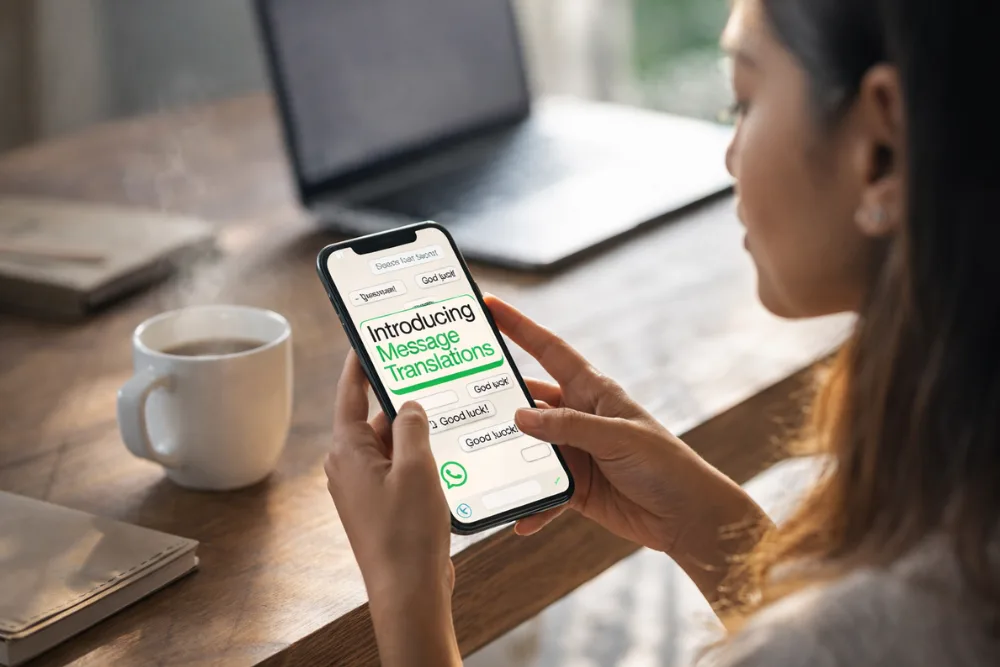
If you want to translate on WhatsApp instantly, simply long press the message, tap the Translate option, choose your preferred language, and view the translated text directly within the same chat. There is no need to copy and paste into another app, and your messages remain private and encrypted.
Understanding the New In Chat Translation Feature
The ability to translate on WhatsApp directly within a conversation is one of the platform’s most practical updates in recent years. With over 3 billion users across more than 180 countries, WhatsApp continues to focus on connecting people seamlessly, regardless of language barriers. Communication often breaks down when participants speak different languages, and switching between translation apps can interrupt the flow of conversation.
Read more about message translations on WhatsApp blog post
To solve this, WhatsApp introduced a built in translation feature that allows users to translate on WhatsApp without ever leaving the chat window. This update is designed to make multilingual communication faster, smoother, and more natural. Instead of copying text into a third party app, waiting for translation, and pasting it back, users can now complete the process in seconds within the same interface.
The feature works in one to one chats, group chats, and even in Channel updates. This ensures that whether you are messaging a friend abroad, participating in an international work group, or following content from creators in another country, you can translate on WhatsApp effortlessly.
Step by Step Guide to Translate on WhatsApp
Using the in chat translation feature is straightforward and intuitive. First, open the chat containing the message you want to translate. Then, long press the specific message. A menu will appear with several options, including the Translate option.
Once you tap Translate, you will be prompted to select the language you want to translate from or into. After selecting the desired language, the translated text appears seamlessly within the same chat. You do not need to switch apps, and you do not need to manually copy any content.
This simple process makes it easier than ever to translate on WhatsApp during real time conversations. The experience feels integrated and fluid, which is especially important in fast moving chats or professional discussions where time matters.
Automatic Translation for Android Users
For Android users, WhatsApp offers an additional convenience. Beyond manually translating individual messages, users can enable automatic translation for entire chat threads. When this setting is activated, incoming messages are automatically translated into the selected language.
This is particularly helpful in active group chats where multiple participants communicate in different languages. Instead of translating each message individually, users can allow WhatsApp to handle translations in the background. This ensures that communication remains smooth and that users do not miss important details.
The automatic translation feature enhances the overall experience for those who frequently translate on WhatsApp. It reduces manual effort and makes cross language communication more efficient, especially for international teams and global communities.
Also read: Which is Better Android or Iphone
Supported Languages and Platform Availability
The ability to translate on WhatsApp is being rolled out gradually, and language availability differs between platforms. Android users currently have access to six languages, including English, Spanish, Hindi, Portuguese, Russian, and Arabic. These widely spoken languages cover a large portion of global users.
iPhone users benefit from broader language support. On iOS, users can translate messages in more than 19 languages, including French, German, Japanese, Korean, and Mandarin, among others. This expanded support ensures that iOS users can communicate across even more linguistic boundaries.
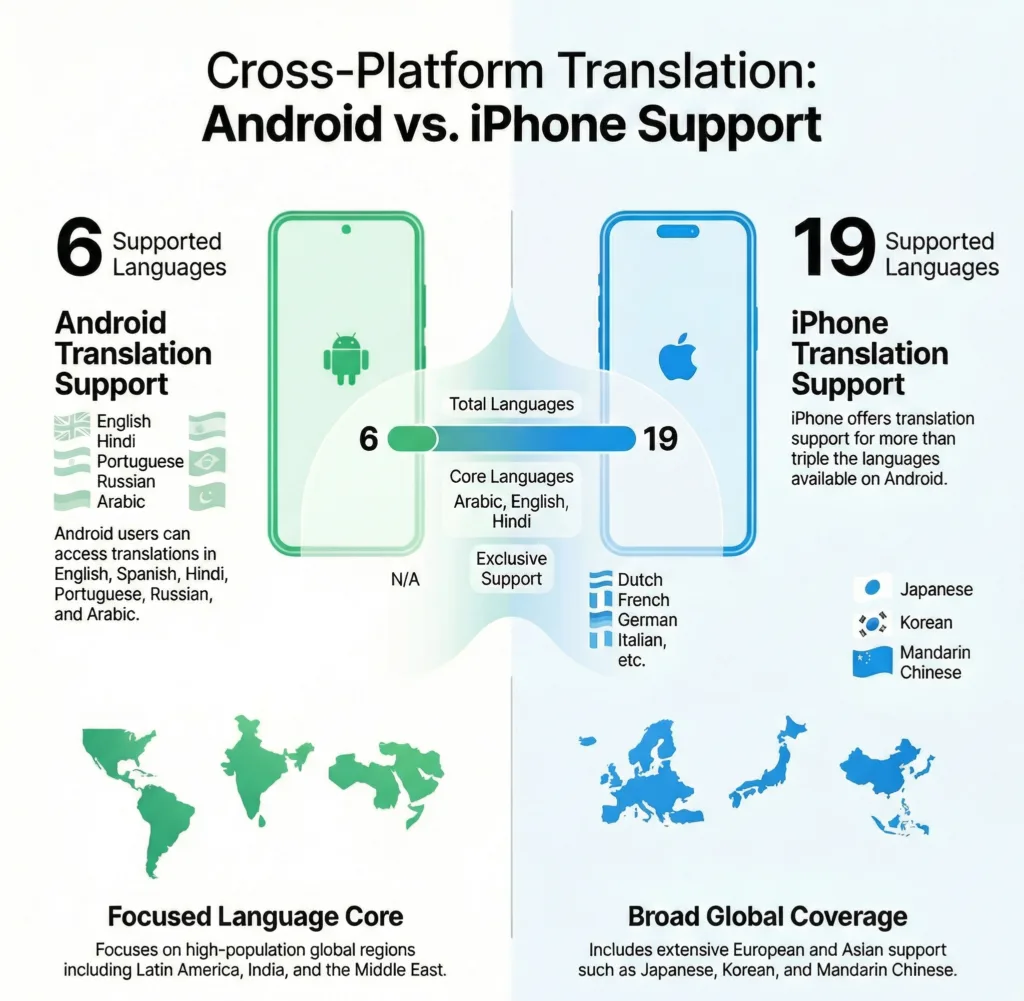
Android vs. iPhone WhatsApp Translation Support
Once you download a language pack for translation, it is saved on your device. This means that future translations become faster because the necessary language data is already stored locally. As WhatsApp continues to update its features, more languages are expected to be added, further expanding the reach of this functionality.
Privacy and End to End Encryption
One of the most important aspects of the in chat translation feature is privacy. When you translate on WhatsApp, all translations are performed directly on your device. This means your messages remain protected by end to end encryption.
WhatsApp emphasizes that your private conversations are not sent to external servers for translation. By processing translations on device, the platform ensures that sensitive information stays secure. This design choice aligns with WhatsApp’s long standing commitment to user privacy and data protection.
For users concerned about security, this approach offers peace of mind. You can translate on WhatsApp confidently, knowing that your messages are not exposed to third party services or stored elsewhere during the translation process.
Know more: Can the Whatsapp be Hacked? Truth About Phishing Attacks
iOS Workarounds and Advanced Capabilities
While the native feature is the simplest and most secure way to translate on WhatsApp, iOS users sometimes seek additional capabilities. For example, some users may want to translate voice messages or create custom shortcuts for translation tasks.
In such cases, workarounds involving the iOS Shortcuts app and selected third party integrations can provide extended functionality. However, these methods typically involve additional steps and may not offer the same level of seamless integration as the built in feature.
For most users, the native in chat translation option remains the best solution. It is straightforward, secure, and optimized for ease of use. By relying on the official feature, users can translate on WhatsApp without complicating their workflow or compromising privacy.
Breaking Language Barriers Globally
WhatsApp has stated that its mission is to keep users closely connected, no matter where they are in the world. With billions of users spanning more than 180 countries, language diversity is inevitable. The translation feature is designed to address this challenge directly.
Language can sometimes be a barrier to expressing feelings, conducting business, or staying connected with loved ones. By enabling users to translate on WhatsApp instantly, the platform helps remove these obstacles. Conversations become more inclusive, and people can engage more confidently, even if they do not share a common language.
This feature is especially valuable for international families, remote work teams, online communities, and global businesses. It builds and helps users to communicate more deeply and effectively, fostering stronger relationships across cultural boundaries.
Benefits for Personal and Professional Communication
The ability to translate on WhatsApp benefits both personal and professional interactions.
| Context | Focus | Key Advantage |
|---|---|---|
| Personal Communication | Friends and family members who speak different languages can communicate more naturally within the same chat. There is no need to switch to external translation apps, which often interrupt the emotional flow of conversations. | Smooth, uninterrupted conversations that feel more personal and engaging. |
| Professional Collaboration | Teams working across different countries can exchange messages, clarify instructions, and resolve issues quickly. Since translations appear directly inside the chat, communication remains clear and organized. | Reduced confusion, faster decision making, and improved cross border teamwork. |
| Ongoing Multilingual Use | Language packs are stored locally after download, allowing repeated translations to happen faster and more efficiently over time. This makes translate on WhatsApp suitable for frequent multilingual interactions. | Greater efficiency and convenience for long term global communication. |
How the Feature Enhances User Experience
User experience is central to WhatsApp’s design philosophy. The introduction of in chat translation reflects a commitment to simplicity and convenience. The feature integrates naturally into the existing interface, ensuring that even first time users can navigate it without difficulty.
Long pressing a message is already a familiar action within WhatsApp. By adding the Translate option to this menu, the platform avoids introducing complex steps or new navigation paths. This consistency helps users quickly adopt the feature and incorporate it into their daily messaging habits.
As a result, when you translate on WhatsApp, the process feels like a natural extension of the chat experience rather than a separate task. This seamless integration significantly enhances usability and satisfaction.
Gradual Rollout and Future Expansion
The translation feature is currently rolling out gradually. Not all users may have immediate access, depending on their device, region, and app version. Keeping WhatsApp updated ensures that you receive new features as soon as they become available.
As adoption increases, it is likely that WhatsApp will expand language support and refine the functionality based on user feedback. Given the platform’s global user base, continued development in this area aligns with its mission to improve cross language communication.
The ability to translate on WhatsApp is expected to evolve further, potentially adding more advanced capabilities while maintaining the platform’s emphasis on privacy and simplicity.
Conclusion
The new in chat translation feature makes it easier than ever to translate on WhatsApp without leaving the conversation. By simply long pressing a message and selecting Translate, users can view translated text instantly within the same chat. With on device processing, end to end encryption, and expanding language support, this feature breaks down language barriers while preserving privacy. Whether for personal connections or professional collaboration, translate on WhatsApp is a powerful tool for seamless global communication.
Frequently Asked Questions
How do I translate on WhatsApp without leaving the chat?
Long press the message you want to translate, tap the Translate option, choose the desired language, and the translated text will appear directly in the same chat.
Is it safe to translate on WhatsApp?
Yes, translations are performed on your device, and your messages remain protected by end to end encryption.
Can I automatically translate entire chats on WhatsApp?
Android users can enable automatic translation for entire chat threads, allowing incoming messages to be translated automatically.
Which languages are supported for translation on WhatsApp?
Android currently supports six languages, including English, Spanish, Hindi, Portuguese, Russian, and Arabic, while iOS supports more than 19 languages such as French, German, Japanese, Korean, and Mandarin.
Do I need to download language packs to translate on WhatsApp?
Yes, when you select a language for translation, the language pack is downloaded to your device and saved for faster future translations.
Get more tips and tutorials from Search Ethics.

Dony Garvasis is the founder of Search Ethics, a freelance SEO consultant, and a passionate technology blogger. With over 8 years of experience in SEO, blogging and content marketing, I provide expert content on Tech, digital marketing, SEO, Artificial intelligence, gadgets, science, automobiles, lifestyle, tips, tutorials and much more. My mission is simple: Ethical Search, Genuine Results! I will make sure people everywhere get trustworthy and helpful information.