Now Reading: WAV or AIFF: Which Is the Best Audio Format?
-
01
WAV or AIFF: Which Is the Best Audio Format?

WAV or AIFF, which is the best audio format? The direct answer is simple, both formats offer identical, lossless audio quality, making them equally excellent for professional use. The real difference lies in compatibility, metadata handling, and workflow preferences rather than sound quality itself.
Understanding WAV and AIFF Audio Formats
When discussing high quality audio formats, WAV and AIFF are often at the center of the conversation. Both are uncompressed and lossless audio formats, meaning they preserve the original recording without sacrificing any detail. This makes them ideal for professional applications such as music production, sound design, editing, and archival storage.
WAV, or Waveform Audio File Format, was developed by Microsoft and IBM, while AIFF, or Audio Interchange File Format, was created by Apple. Despite their different origins, both formats function in a very similar way. They store audio using Pulse Code Modulation, ensuring that every nuance of the original recording is retained.
Because of this, neither format compresses audio data. Unlike formats such as MP3, which reduce file size by removing some audio information, WAV and AIFF maintain full fidelity. This is why they are widely used in studios and by professionals who require precise and accurate sound reproduction.
Key Technical Differences Between WAV and AIFF
Although WAV and AIFF deliver the same audio quality, there are several technical differences that influence how they are used in real world scenarios. These differences are not about sound, but about structure, compatibility, and additional features.
One of the main differences lies in their origin and platform preference. AIFF was introduced by Apple in 1988 and quickly became popular within the Mac ecosystem. It is natively supported on macOS and iOS devices, making it a natural choice for users who rely on Apple hardware and software. WAV, on the other hand, was developed in 1991 by Microsoft and IBM and became the default audio format for Windows systems.
Another important distinction is the underlying file structure. Both formats use PCM audio, but they rely on different container standards. AIFF is based on the Interchange File Format, while WAV uses the Resource Interchange File Format. This difference affects how header information is stored, which is essentially the data that tells software how to interpret the audio file.
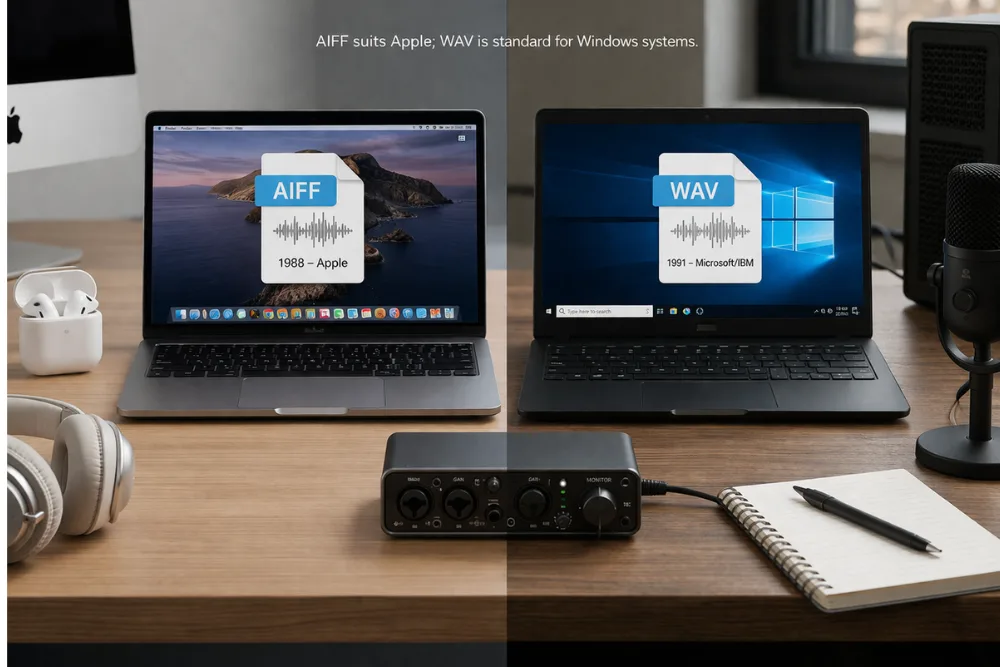
Metadata handling is another area where AIFF stands out. AIFF files can store more detailed metadata, including artist names, album information, and artwork. This makes AIFF particularly useful in workflows where detailed file organization is important. WAV files, in contrast, are more minimal in their metadata capabilities, focusing primarily on the audio data itself.
File size limitations also play a role. Historically, WAV files had a size limit of around 4GB, which could be restrictive for long or high resolution recordings. AIFF files do not typically have this limitation, although both formats generally produce large file sizes due to their uncompressed nature.
Audio Quality Comparison for Music Production
When it comes to audio quality, there is no difference between WAV and AIFF. Both formats store audio in an uncompressed PCM format, ensuring that the sound remains exactly as it was recorded. This means there are no compression artifacts, no loss of detail, and no reduction in dynamic range.
For music production, this level of quality is essential. Producers, engineers, and musicians rely on accurate sound reproduction during recording, mixing, and mastering. Since both WAV and AIFF provide identical fidelity, they are equally suitable for professional studio work.
The file sizes of WAV and AIFF are also very similar. Because neither format compresses audio, they require significantly more storage space compared to compressed formats. For example, a high resolution audio track can easily occupy tens or even hundreds of megabytes. However, this is a necessary trade off for maintaining top tier audio quality.
Ultimately, choosing between WAV and AIFF for music production does not impact the final sound. Instead, the decision should be based on workflow, compatibility, and personal preference.
Compatibility Across Platforms and Devices
Compatibility is one of the most important factors when deciding between WAV and AIFF. While both formats are widely supported, there are subtle differences that can influence your choice.
WAV is considered the universal standard for audio files, especially on Windows systems. It is supported by virtually all media players, audio software, and hardware devices. This makes it a safe and reliable choice for sharing files across different platforms.
AIFF, while also widely supported, is more closely associated with Apple devices. It works seamlessly on macOS and iOS, and is often preferred by users within the Apple ecosystem. Although many Windows applications can handle AIFF files, some may require additional software or plugins for full compatibility.
In collaborative environments where files are shared between different operating systems, WAV is often the preferred format due to its universal compatibility. However, AIFF can still be used effectively, especially when working primarily within Apple based workflows.
Metadata and File Management Differences
Metadata plays a crucial role in organizing and managing audio files, especially in professional environments. This is where AIFF has a clear advantage over WAV.
AIFF files are capable of storing extensive metadata, including artist information, track titles, album artwork, and copyright details. This makes them particularly useful for large audio libraries, where proper organization is essential.
WAV files, in contrast, offer more limited metadata support. While they can store some basic information, they are generally more focused on delivering raw audio data. This simplicity can be beneficial in certain situations, but it may require additional tools or workflows for managing detailed file information.
For professionals who rely heavily on metadata, such as music producers and sound designers, AIFF provides a more flexible and feature rich solution.

Professional Audio Software That Supports WAV and AIFF
Both WAV and AIFF are industry standard formats, and they are supported by a wide range of professional audio software. This ensures that users can work with either format without compatibility issues in most cases.
Pro Tools is one of the most widely used digital audio workstations and supports both WAV and AIFF for recording, editing, and mixing. It allows users to choose their preferred format based on their workflow.
Logic Pro, developed by Apple, naturally supports AIFF and also handles WAV files seamlessly. It is a popular choice for Mac users and integrates well with AIFF files.
Cubase, another professional DAW, supports both formats and typically uses WAV as the default. However, AIFF can be used just as easily within the software.
Ableton Live also supports WAV and AIFF, making it a versatile option for music production and live performance. It allows users to import and export audio in both formats without any loss of quality.
Final Cut Pro, although primarily a video editing tool, supports both formats for audio editing within video projects. This highlights the versatility and widespread adoption of WAV and AIFF across different creative industries.
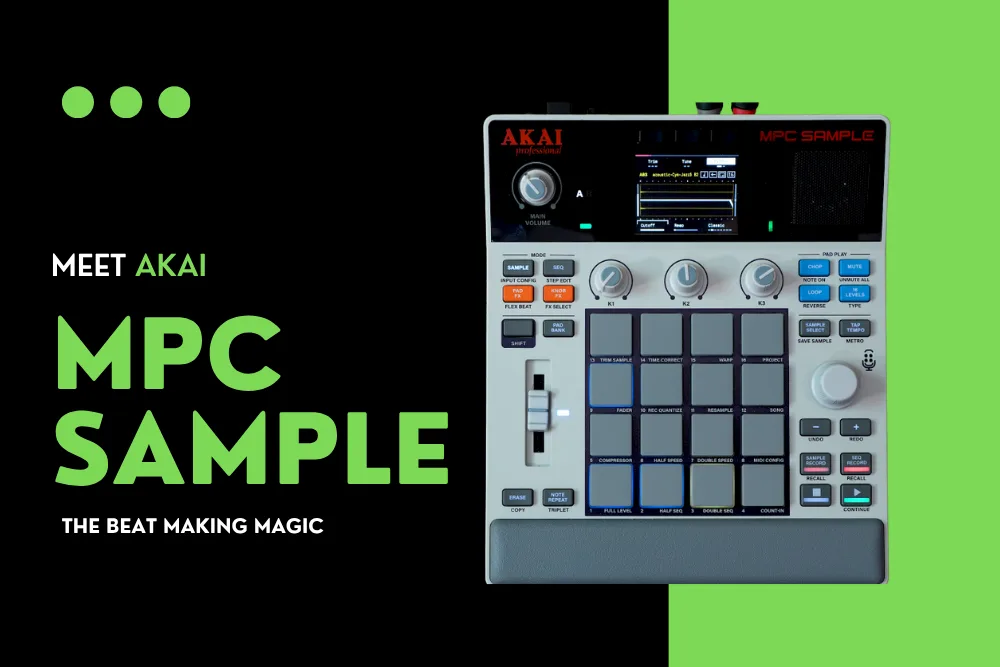
Also read: This Akai MPC Sample Device is Every Producer’s Dream Machine
Best Online Platforms to Convert WAV to AIFF and Vice Versa
Converting between WAV and AIFF is often necessary when working across different platforms or workflows. Fortunately, there are several reliable online tools that make this process simple and efficient.
CloudConvert is a popular choice for audio conversion, offering high quality results and advanced settings for controlling audio parameters. It is secure and does not require any software installation.
Convertio provides an easy to use interface and supports various customization options such as sample rate and audio channels. It also integrates with cloud storage services for added convenience.
Clideo is known for its simplicity and user friendly design. It allows users to convert files directly in their browser without any technical complexity.
Descript goes beyond simple conversion by offering audio editing features alongside format conversion. It is particularly useful for podcasters and content creators who need additional tools.
Related search: Top 5 Must Have Tools for Content Creators
Async and FreeFileConvert also provide reliable conversion services, with features such as batch processing and basic audio editing options. These platforms ensure that users can switch between WAV and AIFF without compromising audio quality.
When Should You Choose WAV or AIFF?
Choosing between WAV and AIFF ultimately depends on your specific needs and workflow. If you are working primarily on Windows systems or need maximum compatibility, WAV is the better choice. Its universal support makes it ideal for sharing files and collaborating with others.
On the other hand, if you are deeply integrated into the Apple ecosystem, AIFF offers a more seamless experience. Its superior metadata capabilities also make it a strong option for managing large audio libraries.
For music production, both formats perform equally well. The decision should be based on practical considerations rather than audio quality. Factors such as platform, file organization, and collaboration requirements will have a greater impact on your choice.
Conclusion
WAV and AIFF are both exceptional audio formats that deliver identical, lossless sound quality. They are widely used in professional environments and provide the reliability and precision needed for high quality audio work. The differences between them lie in their origins, metadata capabilities, and compatibility rather than their performance.
If you prioritize universal compatibility and simplicity, WAV is the ideal choice. If you value detailed metadata and seamless integration with Apple systems, AIFF is the better option. Ultimately, both formats are equally capable, and the best choice depends on your workflow and preferences.
Frequently Asked Questions
Is WAV better than AIFF for audio quality
No, WAV and AIFF offer the same audio quality because both are uncompressed and lossless formats.
Which format is better for Mac users
AIFF is generally better for Mac users because it is natively supported and integrates well with Apple software.
Can Windows play AIFF files
Yes, Windows can play AIFF files, but some applications may require additional support or software.
Why are WAV and AIFF files so large
Both formats are uncompressed, meaning they store all audio data without reducing file size, resulting in larger files.
Which format is better for music production
Both formats are equally suitable for music production since they provide identical sound quality.
Can I convert WAV to AIFF without losing quality
Yes, converting between WAV and AIFF does not affect audio quality because both formats are lossless.
Do professionals prefer WAV or AIFF
Professionals use both formats, and the choice usually depends on their operating system and workflow preferences.
Also read: JBL vs. boAt: Which Audio Brand is Right for You?

Dony Garvasis is the founder of Search Ethics, a freelance SEO consultant, and a passionate technology blogger. With over 8 years of experience in SEO, blogging and content marketing, I provide expert content on Tech, digital marketing, SEO, Artificial intelligence, gadgets, science, automobiles, lifestyle, tips, tutorials and much more. My mission is simple: Ethical Search, Genuine Results! I will make sure people everywhere get trustworthy and helpful information.