Now Reading: How Can I Improve Battery Life On My Smartphone?
-
01
How Can I Improve Battery Life On My Smartphone?
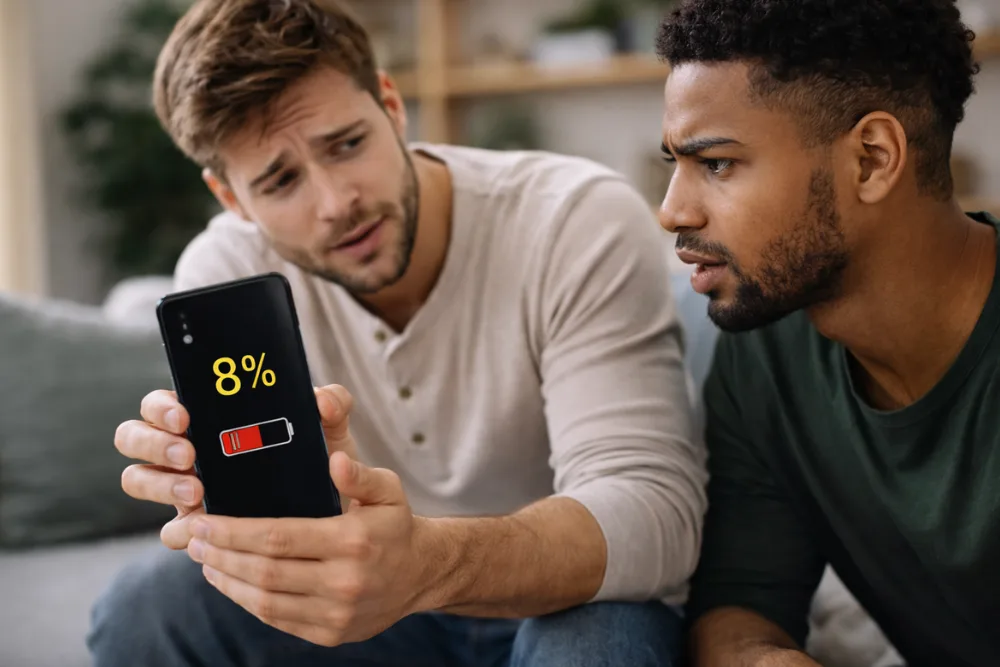
Smartphone battery life is one of the most common concerns for users across all devices. Whether you rely on your phone for work, communication, navigation, or entertainment, running out of battery at the wrong time can be frustrating. The good news is that improving battery life does not require advanced technical knowledge or expensive accessories. By adjusting settings, managing background activity, and adopting healthier usage habits, you can significantly extend daily battery performance and preserve long term battery health.
This evergreen guide explains the most effective and practical ways to improve smartphone battery life. The recommendations are based on widely accepted best practices and system level optimizations that apply to most modern smartphones.
Understanding What Drains Smartphone Battery
Before making changes, it helps to understand what consumes the most power on a smartphone. The display, background apps, wireless connections, location services, and intensive usage patterns all place continuous demand on the battery. Heat and improper charging habits also reduce battery efficiency over time.
Battery optimization is not about disabling everything. It is about finding the right balance between functionality and efficiency so your phone works when you need it without unnecessary power loss.
Adjust Screen Settings for Maximum Efficiency
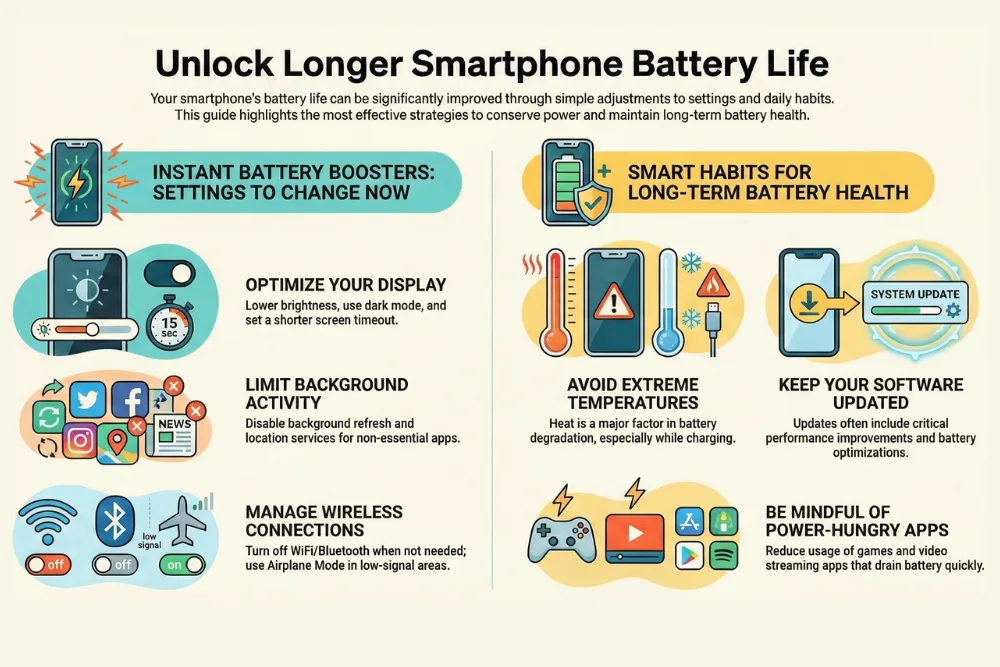
The screen is the largest battery consumer on most smartphones. Even small adjustments here can lead to noticeable improvements in battery life. Reducing screen brightness is one of the simplest and most effective steps. Lower brightness levels use less power, especially indoors. Enabling automatic brightness allows the phone to adjust screen intensity based on surrounding light, preventing unnecessary power usage.
Using dark mode or a dark theme can further reduce battery drain, particularly on phones with AMOLED displays. Dark pixels consume less energy than bright ones, which means apps and system menus with dark backgrounds require less power.
Live wallpapers look attractive but constantly consume system resources. Switching to a static wallpaper helps conserve battery. Choosing a solid black wallpaper offers additional efficiency benefits on compatible displays. Another important adjustment is screen timeout. Setting the display to turn off sooner when inactive prevents the screen from staying on longer than necessary. Shorter timeout durations can make a significant difference throughout the day.
Limit Background App Activity
Many apps continue running in the background even when you are not actively using them. These background processes consume power by syncing data, checking notifications, and updating content. Closing apps after use helps reduce background battery drain. While modern systems manage memory efficiently, unnecessary background activity still affects battery performance.
Restricting or disabling background app refresh for apps that do not need real time updates can also extend battery life. Social media, shopping, and entertainment apps often refresh in the background without adding real value. Using battery saver or low power mode is another effective approach. These modes automatically limit background processes, reduce performance where possible, and adjust system behavior to conserve power. Activating battery saver during low charge levels or extended usage periods can greatly extend remaining battery life.
Manage Connectivity and Location Services
Wireless features are essential but they constantly search for signals and connections. Managing them wisely helps reduce battery drain. Turning off WiFi, Bluetooth, and mobile data when not in use prevents the phone from continuously scanning for networks and devices. If you are in an area with no connectivity, the phone may use extra power trying to connect.
Airplane mode is especially useful in low signal areas or when you do not need communication features. It stops all wireless activity and significantly reduces power consumption. Location services also consume a large amount of battery. GPS is particularly demanding, especially during navigation or background tracking. Turning off location access when it is not required can quickly improve battery life. Limiting location permissions to only essential apps ensures that your phone is not constantly tracking your position unnecessarily.
Optimize Daily Usage Habits
How you use your smartphone matters just as much as system settings. Certain activities place heavy demands on the battery and should be managed carefully.
Battery intensive apps such as games, video streaming platforms, and navigation tools consume significant power, especially when used for long periods. Reducing screen brightness during these activities and closing other apps can help offset battery drain.
Heat is another major factor in battery health. Avoid leaving your phone in hot environments such as direct sunlight or inside a parked vehicle. Charging the phone under extreme temperatures can degrade battery capacity over time and increase power loss. Always use the charger that came with your phone or one recommended by the manufacturer. Proper charging ensures stable power delivery and helps maintain battery health. Using incompatible chargers can cause overheating or inefficient charging cycles.
Disable Unnecessary System Features
Many system features run continuously even when they are rarely used. Disabling unnecessary functions can provide consistent battery savings. Vibrations, haptic feedback, and keyboard sounds consume small amounts of power individually but can add up over time. Turning them off when not needed helps conserve energy.
Voice assistants that constantly listen for activation commands also use battery power. If you do not regularly use these features, disabling them can reduce background activity and extend battery life. Lite versions of popular apps are another smart option. These versions are designed to use fewer resources while providing essential functionality. They typically consume less battery and data, making them ideal for everyday use.
Keep Software Updated for Better Battery Performance
Software updates often include performance improvements and battery optimizations. Keeping your phone updated ensures that you benefit from the latest efficiency enhancements and bug fixes.
Outdated software may cause apps to drain battery faster due to unresolved issues or inefficient background processes. Regular updates help maintain stable system performance and improve overall battery life. Manufacturers also refine power management features over time. Staying current with updates allows your device to manage battery usage more intelligently.
Long Term Battery Health Practices
Improving daily battery life is important, but maintaining long term battery health is equally critical. Batteries naturally degrade over time, but proper care can slow this process. Avoid exposing your phone to extreme temperatures and do not leave it charging for extended periods unnecessarily. Charging habits that minimize heat and stress on the battery help preserve capacity. Using built in battery optimization features and following manufacturer recommendations ensures that your battery remains reliable for as long as possible.
Botom Line
Improving smartphone battery life is achievable with simple adjustments and mindful usage habits. By optimizing screen settings, limiting background activity, managing connectivity and location services, and disabling unnecessary features, you can significantly extend daily battery performance. Combining these strategies with proper charging practices and regular software updates helps maintain strong battery health over time. Small changes can lead to noticeable improvements, ensuring your smartphone stays powered when you need it most.
Frequently Asked Questions
Does lowering screen brightness really save battery
Yes. The display is one of the biggest battery consumers, and reducing brightness can significantly extend battery life.
Is dark mode better for battery life
Dark mode helps reduce battery usage, especially on AMOLED screens where dark pixels consume less power.
Should I close apps to save battery
Closing apps you no longer use can help reduce background activity and prevent unnecessary battery drain.
Does airplane mode save battery
Yes. Airplane mode disables all wireless connections and is very effective in conserving battery power.
How important are software updates for battery life
Very important. Updates often include battery optimizations and performance improvements that reduce power consumption.
Can heat damage smartphone battery life
Yes. High temperatures degrade battery health and increase power drain, so avoiding heat exposure is essential.
Related search:

Dony Garvasis is the founder of Search Ethics, a freelance SEO consultant, and a passionate technology blogger. With over 8 years of experience in SEO, blogging and content marketing, I provide expert content on Tech, digital marketing, SEO, Artificial intelligence, gadgets, science, automobiles, lifestyle, tips, tutorials and much more. My mission is simple: Ethical Search, Genuine Results! I will make sure people everywhere get trustworthy and helpful information.