Now Reading: What Is Phishing and Why It Is So Dangerous
-
01
What Is Phishing and Why It Is So Dangerous
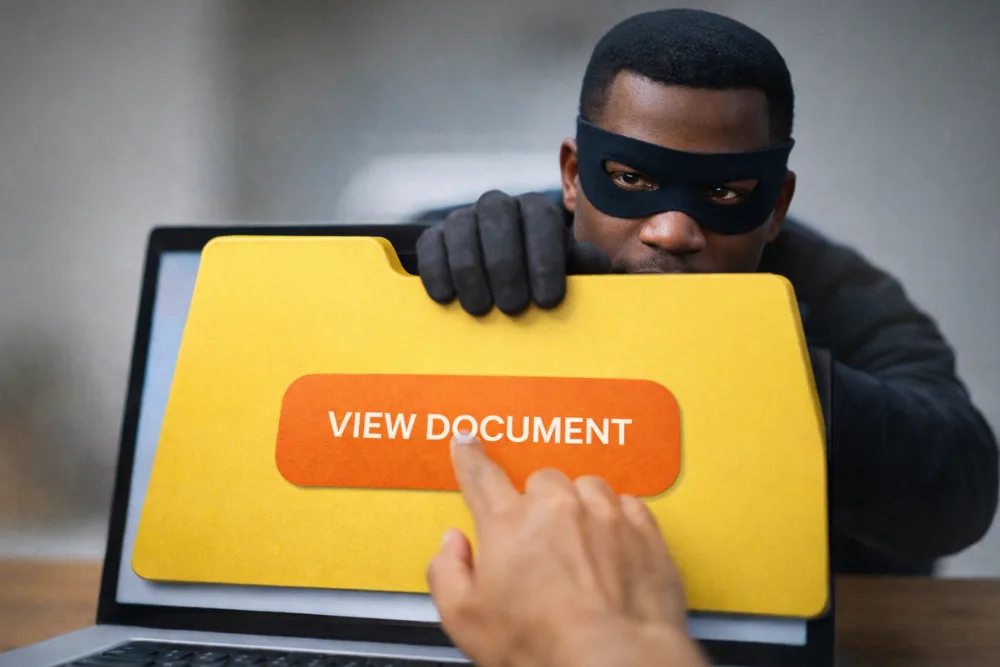
Phishing is a cyberattack method where criminals trick people into revealing sensitive information by pretending to be trusted organizations or individuals.
It usually works through deceptive emails, messages, or websites designed to create urgency and steal personal or financial data. Understanding phishing early is the most effective way to prevent identity theft, financial loss, and long term digital harm.
In today’s connected world, phishing has become one of the most persistent and damaging cybersecurity threats. Individuals, businesses, and institutions are all potential targets.
This article explains what phishing is, how it works, how to recognize phishing emails or messages, and how to protect yourself using practical awareness based on real world attack behavior.
What Is Phishing and Why It Is So Dangerous
Phishing is a form of digital deception where attackers impersonate legitimate entities to gain access to confidential information. The information targeted usually includes usernames, passwords, banking details, credit card numbers, and sometimes personal identification data. The danger of phishing lies in its simplicity and effectiveness. Instead of attacking computer systems directly, attackers exploit human trust, curiosity, and fear.
Unlike traditional hacking, phishing does not require advanced technical skills from the victim. A single click on a convincing message can expose sensitive data. Once stolen, this data can be used for identity theft, unauthorized financial transactions, account takeovers, or resale on illegal marketplaces. Because phishing relies on social engineering rather than software vulnerabilities, even well protected systems can be compromised if users are not cautious.
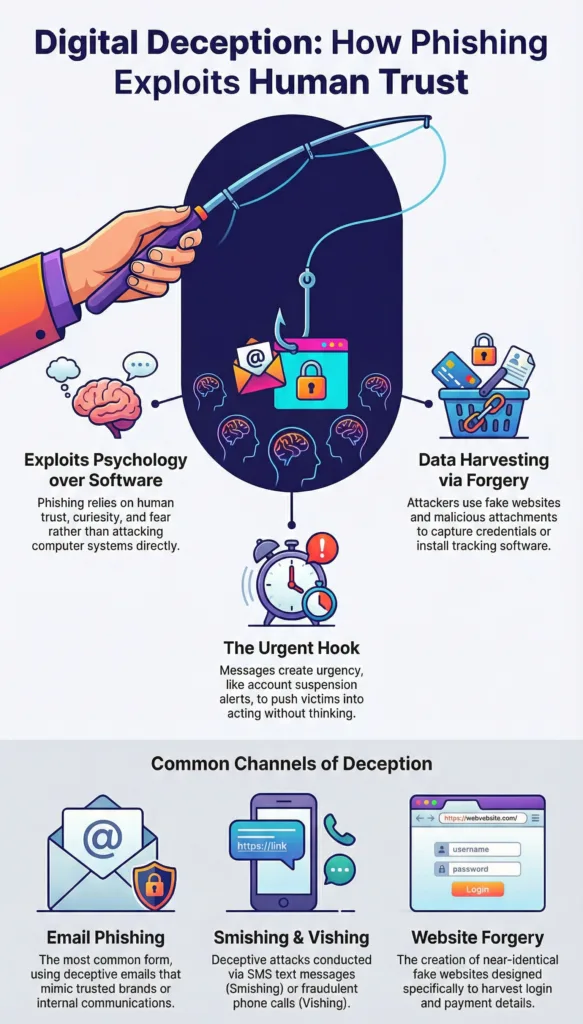
How Phishing Exploits Human Trust infographic
Phishing is especially dangerous because it often appears legitimate. Messages are crafted to look like they come from banks, payment services, government agencies, online platforms, or well known companies. Logos, language style, and formatting are copied carefully, making it difficult for untrained users to distinguish real communication from fake ones.
Also read: Best Cybersecurity Tips for Protecting my Home Wi-Fi Network
How Phishing Attacks Actually Work
A phishing attack usually begins with a message sent by an attacker. This message may arrive through email, text message, phone call, or social media platform. The attacker pretends to be a trusted source, such as a bank, employer, service provider, or popular website. The message often includes a warning or an opportunity that demands immediate action.
The goal is to push the recipient into acting quickly without verifying the authenticity of the message. Common tactics include claims that an account has been suspended, a payment has failed, suspicious activity has been detected, or a limited time reward is available. These emotional triggers reduce rational thinking and increase compliance.
Most phishing messages include a link or an attachment. The link usually leads to a fake website that closely resembles a legitimate one. The page may ask the user to log in, update information, or confirm details. When the user enters their information, it is captured by the attacker. Attachments may contain malicious software that installs itself silently and collects data in the background.
Once attackers obtain the information, they may use it immediately for fraud or store it for later use. In many cases, stolen credentials are sold to other criminals. Because the attack depends on user interaction rather than system flaws, phishing continues to succeed even as technology improves.
Common Forms of Phishing Attacks
Phishing exists in several forms, each designed to reach victims through different communication channels. Email phishing is the most common type and involves sending deceptive emails with malicious links or attachments. These emails often mimic trusted brands or internal company communications.
Smishing is phishing conducted through SMS text messages. These messages often appear short and urgent, such as alerts about package deliveries or account verification requests. Because people tend to trust text messages more than emails, smishing can be highly effective.
Also read: Google Data Breach Exposes 2.5 Billion Gmail Users
Vishing refers to phishing attacks carried out through phone calls. Attackers may pose as customer support agents, bank representatives, or government officials. They often use scripts and spoofed caller IDs to sound convincing and pressure victims into sharing sensitive information verbally.
Website forgery is another common technique. Attackers create fake websites that look almost identical to real ones. These sites are often promoted through phishing messages and are designed specifically to harvest login credentials or payment details.
Modern phishing campaigns may combine several of these methods, increasing their success rate. For example, an email may direct a user to call a phone number where the attacker continues the deception.
Advanced Techniques Used by Phishing Attackers
Phishing has evolved significantly over time. Attackers now use advanced techniques to bypass security systems and appear more credible.
| Phishing Technique | How It Works | Why It Is Effective |
|---|---|---|
| Domain spoofing | Attackers use email addresses or website domains that closely resemble legitimate ones, often changing a single letter or character in the domain name. These small spelling differences are difficult for users to notice at a quick glance. | Users trust familiar looking domains and may not carefully inspect the full email address or website URL before interacting with it. |
| Use of trusted infrastructure | Attackers host malicious content on compromised websites or well known cloud services. Because these platforms are generally trusted, the malicious links are less likely to be blocked by spam filters or security tools. | Links appear to come from reputable sources, increasing user trust and making people more likely to click without suspicion. |
| Generative AI crafted messages | Attackers use generative AI tools to create phishing messages that are grammatically correct, personalized, and context aware. These messages can be produced at large scale while maintaining high quality language. | The lack of spelling errors and the natural tone reduce common warning signs, making phishing messages harder for users to identify. |
| Targeted research and spear phishing | Attackers gather personal information about specific individuals, such as job roles, organizations, or recent activities, before sending phishing messages tailored to that person. | Personalized messages feel relevant and credible, increasing the likelihood that the victim will trust the message and respond. |
Why Phishing Continues to Be So Effective
Phishing remains effective because it targets human behavior rather than technology. People are naturally inclined to trust familiar brands, authority figures, and urgent requests. Attackers exploit these instincts skillfully.
Another reason phishing persists is its low cost and high return. Sending thousands of phishing messages requires minimal resources, but even a small success rate can lead to significant financial gain. This makes phishing attractive to cybercriminals at all skill levels.
Additionally, the digital landscape is constantly changing. New services, platforms, and communication methods create more opportunities for attackers to imitate legitimate interactions. As long as people rely on digital communication, phishing will remain a threat.
Education and awareness are therefore just as important as technical security measures. Users who understand how phishing works are far less likely to fall victim.
How to Recognize Phishing Emails and Messages
Recognizing phishing messages is a critical skill for digital safety. One of the most common warning signs is urgent or threatening language. Messages that pressure you to act immediately, especially by clicking a link or sharing information, should raise suspicion.
Generic greetings are another red flag. Legitimate companies usually address customers by name. Messages that start with vague salutations often indicate mass sent phishing attempts.
The sender’s address should always be examined carefully. Phishing messages often come from domains that look similar to real ones but contain subtle differences. The display name may look correct, but the actual email address may not match the organization it claims to represent.
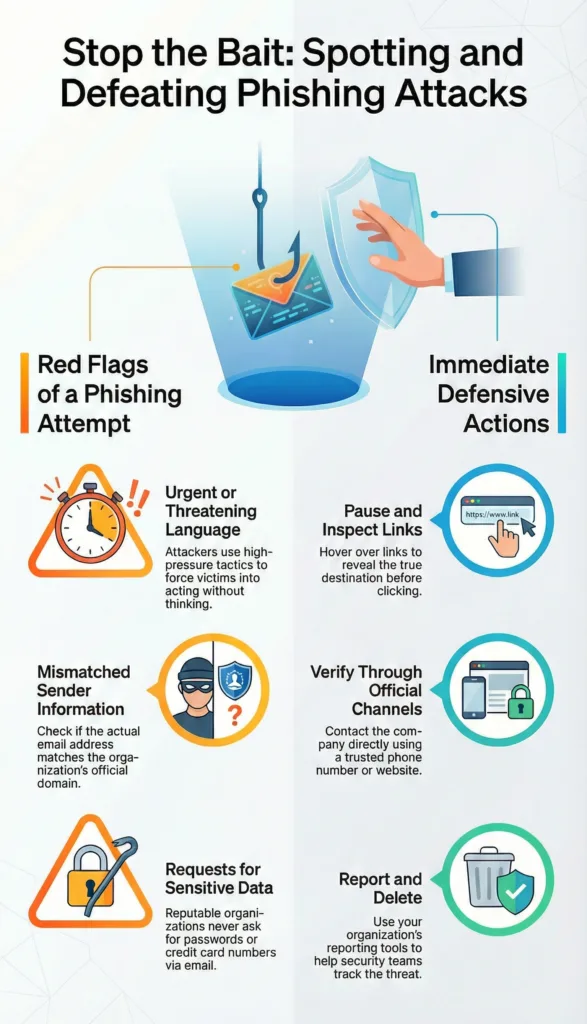
Spotting and Defeating Phishing Attacks Infographic
Requests for sensitive information are a strong indicator of phishing. Reputable organizations do not ask for passwords, full credit card numbers, or personal identification details through email or text messages. Any request for such information should be treated with caution.
Spelling and grammar mistakes can also indicate phishing, although this is becoming less common due to AI generated content. Awkward phrasing, inconsistent formatting, or unusual language can still serve as warning signs.
Links and attachments deserve special attention. Hovering over a link without clicking can reveal the actual destination. If it does not match the official website of the organization, it is likely malicious. Unsolicited attachments should never be opened, especially if they come from unknown senders.
Sometimes the content of the message does not match the sender. For example, a message claiming to be from a bank but discussing unrelated services or using an unfamiliar tone can signal a phishing attempt.
Unexpected invoices or payment requests should always be verified independently. Attackers often rely on surprise and confusion to push victims into acting without verification.
Fake websites linked from phishing messages may look authentic at first glance. Checking the website address carefully and ensuring it belongs to the legitimate organization is essential before entering any information.
Also read: Zoho Mail vs Gmail: Which Email Platform Is Better
What To Do When You Receive a Suspicious Message
When you receive a message that seems suspicious, the most important step is to pause. Avoid clicking on links or downloading attachments until you have verified the sender’s authenticity. Acting calmly can prevent costly mistakes.
If the message claims to be from a company or institution, contact them directly using official contact information found on their website or official documents. Do not use the contact details provided in the suspicious message.
Reporting phishing attempts is also important. Many organizations have dedicated reporting channels, and authorities such as consumer protection agencies and cybercrime units collect reports to track and reduce phishing campaigns.
Deleting the message after reporting it can help prevent accidental interaction later. Staying vigilant and proactive significantly reduces your risk of falling victim to phishing.
How Awareness and Education Help Prevent Phishing
Education is one of the strongest defenses against phishing. Users who understand common attack patterns are more likely to recognize suspicious messages and respond appropriately. Awareness training is increasingly used by organizations to reduce employee related security risks.
Regular updates about new phishing techniques help users stay prepared. As attackers adapt their methods, continuous learning becomes essential. Awareness also encourages users to question unusual requests rather than responding automatically.
Personal responsibility plays a key role in cybersecurity. While technical tools such as spam filters and security software are important, they cannot replace informed decision making by users.
The Long Term Impact of Phishing Attacks
The consequences of phishing can extend far beyond immediate financial loss.
| Affected Group | Impact of Phishing Attacks | Long Term Consequences |
|---|---|---|
| Individual victims | Victims may suffer identity theft, damaged credit scores, emotional stress, and a loss of trust in digital services after falling for phishing attacks. | Recovery from phishing related fraud can take months or even years, involving financial restoration, account recovery, and emotional strain. |
| Businesses and organizations | Phishing attacks can cause data breaches, legal consequences, reputational damage, and loss of customer trust across organizations. | Even a single successful phishing incident can have widespread operational, financial, and compliance related effects. |
| Digital ecosystem | Widespread phishing activity undermines confidence in online communication and digital services across industries. | Strong awareness and preventive measures help protect users, businesses, and the overall digital ecosystem from long term harm. |
Final Thoughts
Phishing is a deceptive and persistent cyber threat that relies on manipulating human behavior rather than exploiting technical weaknesses. By impersonating trusted entities, attackers trick victims into revealing sensitive information through emails, messages, calls, and fake websites. Recognizing warning signs, verifying communications, and staying informed are essential steps in protecting yourself. Awareness remains the most effective defense against phishing in an increasingly digital world.
FAQ
What is phishing in simple terms?
Phishing is when attackers pretend to be trusted organizations to trick people into giving away personal or financial information online.
Why do phishing attacks feel urgent?
Attackers use urgency to pressure victims into acting quickly without verifying the message, increasing the chance of success.
Can phishing happen outside of email?
Yes, phishing can occur through text messages, phone calls, social media messages, and fake websites.
Are phishing messages always poorly written?
No, modern phishing messages can be well written and convincing, especially when created using advanced tools.
What should I do if I clicked a phishing link?
Immediately stop interacting with the site, change affected passwords, and contact the relevant service provider for guidance.
Is phishing still common today?
Yes, phishing remains one of the most common and effective cyber threats worldwide.
How can I reduce my risk of phishing?
Stay cautious with unsolicited messages, verify senders independently, avoid sharing sensitive information, and stay informed about common phishing tactics.

Dony Garvasis is the founder of Search Ethics, a platform dedicated to transparency, authenticity, and ethical digital practices. With over 8 years of experience in SEO and digital marketing, I provide expert content on Tech, digital marketing, SEO, Artificial intelligence, gadgets, science, automobiles, lifestyle, tips, tutorials and much more. My mission is simple: Ethical Search, Genuine Results! I will make sure people everywhere get trustworthy and helpful information.