Now Reading: Google Workspace Studio and the Future of Enterprise AI Agents
-
01
Google Workspace Studio and the Future of Enterprise AI Agents
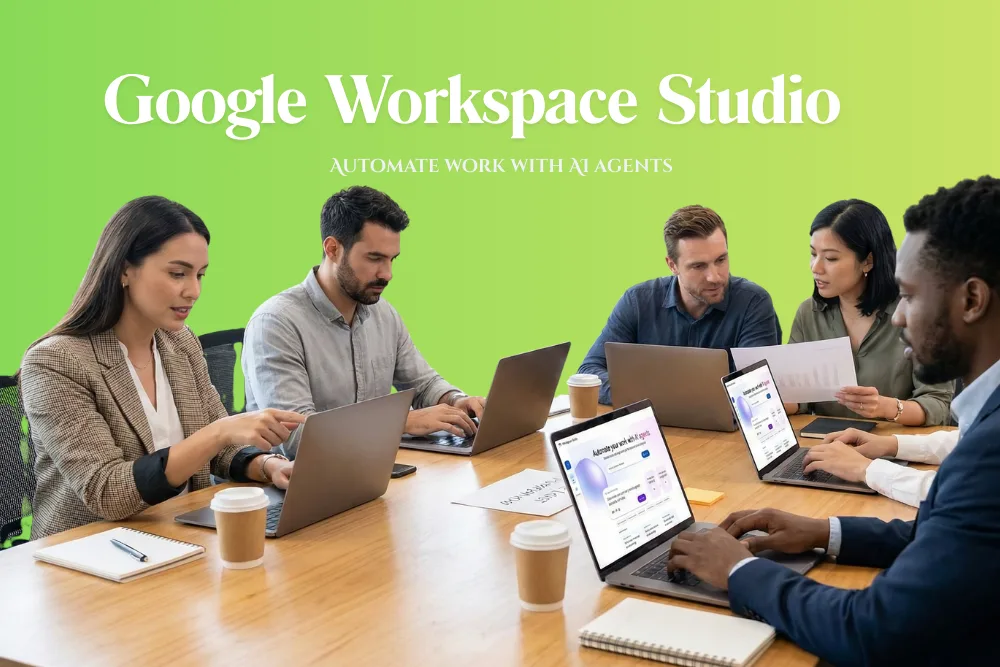
Enterprises across industries are rapidly adopting artificial intelligence, yet one major challenge remains consistent getting employees to actually use the AI agents that development teams build. While the technology is powerful, adoption often stalls when tools feel disconnected from everyday work. Google Workspace Studio addresses this challenge by bringing AI agents directly into the applications employees already rely on. By doing so, it aims to make AI automation both accessible and practical for business users at scale.
Workspace Studio is now generally available as a new automation platform that allows employees to design, manage, and share AI agents with ease. Powered by the multimodal understanding of Gemini 3, the platform targets business teams rather than developers, while still offering the flexibility needed to offload routine and lower priority tasks.
Why Employee Adoption of AI Agents Has Been Difficult?
Interest in AI agents continues to grow, and many enterprises have already begun experimenting with them in real workflows. However, widespread adoption has proven harder than expected. One of the biggest barriers is that interacting with agents often disrupts employee focus. Most tools still rely primarily on chatbot based interfaces, which can pull users out of their natural flow of work.
Legacy automation tools attempted to solve productivity challenges in the past, but they were frequently too rigid and technical for everyday business users. Many employees simply found them difficult to configure or too limited to adapt to real world work scenarios. As a result, automation often stayed in the hands of a few specialists while the wider workforce continued to rely on manual processes.
Google Workspace Studio is designed to remove these barriers by embedding AI agents directly into Gmail, Sheets, Docs, Drive, Chat, and other productivity applications. It also supports connections to popular third party tools such as Salesforce, Jira, Asana, and Mailchimp. This allows enterprises to automate tasks inside the tools where work already happens rather than forcing employees to adopt separate automation platforms.
Using a simple if this then that model, employees can create agents in minutes without writing code or learning specialized syntax. The platform supports everything from simple task automation to complex cross app workflows. This approach democratizes agent creation and allows teams across departments to participate in building useful automations.
How Workspace Studio Changes Day to Day Work?
The real impact of Workspace Studio is seen in everyday operations. A sales operations lead can design an agent that reviews meeting notes, extracts next steps, and creates tasks in Asana automatically. A customer support manager can route escalations based on sentiment and product category. A finance analyst can normalize vendor invoices and flag anomalies to a shared team space in Chat.

Inside Google Workspace Studio How AI Agents Simplify Enterprise Workflows
Each individual task may only save a few minutes, but across hundreds or thousands of employees, the time savings compound quickly. By delegating repetitive and context rich work to agents, employees can focus on higher value activities that require human judgment.
Competitive Landscape and Google’s Strategic Advantage
Competition in enterprise AI automation is intensifying. Microsoft offers Copilot Studio, Slack provides Workflow Builder, and long established automation platforms like Zapier and UiPath are embedding generative AI into their services. OpenAI also supports desktop integrations that connect ChatGPT to specific applications. AWS has released tools like Quick Sight with the goal of bringing AI agents to front and middle office teams.
Google’s advantage lies in its proximity to where work already exists. Millions of enterprise employees use Google Workspace daily to write documents, manage spreadsheets, host data on Drive, and send emails through Gmail. This gives Google direct access to the business context required to power effective AI agents. When agents are built inside Workspace Studio, they can operate across both Google and non Google applications, including even Microsoft Word. This increases the likelihood of broad employee adoption.
Security and Governance Built Into Workspace Studio
Security and governance are built into Workspace Studio as standard features. Because the platform operates as a layer on top of Google Workspace, it inherits the identity, access, and data protections of the host environment. Administrators maintain full control over who can create, manage, and share agents within the organization.
Granular permissions and OAuth scopes prevent agents from accessing unauthorized data sources. Data loss prevention policies help protect sensitive information, and detailed audit trails make it easier to demonstrate how automations handle regulated data. For highly regulated industries, automations operate within a compliance framework equivalent to core Workspace services, which are audited against recognized standards such as ISO 27001 and SOC 2.
The Role of Gemini 3 in Powering Intelligent Agents
Workspace Studio is powered by Gemini 3, which brings multimodal understanding into enterprise automation. This allows agents to reason across text, documents, structured data, and user context. While the platform mainly targets business teams rather than software developers, it still provides sufficient intelligence to handle complex workflows with accuracy. This balance between power and usability is critical for sustained adoption across large organizations.
Final thoughts
Google Workspace Studio represents a significant evolution in how enterprises deploy and adopt AI agents. By embedding automation directly into everyday productivity applications, it removes many of the adoption challenges that have limited the impact of earlier tools. With no code agent creation, seamless integration across apps, enterprise grade security, and the reasoning power of Gemini 3, Workspace Studio positions Google as a strong competitor in the rapidly growing market for workplace AI automation. Its success will ultimately depend on how effectively organizations use it to offload busywork while preserving necessary human oversight.
Frequently Asked Questions
What is Google Workspace Studio?
Workspace Studio is a no code automation platform that lets employees design, manage, and share AI agents directly inside Google Workspace and connected third party apps.
Who is Workspace Studio designed for?
It is primarily designed for business teams rather than developers, allowing non technical users to build useful automations quickly.
What types of tools does Workspace Studio integrate with?
It integrates with Gmail, Docs, Sheets, Drive, Chat, and also with tools like Salesforce, Jira, Asana, and Mailchimp.
How does Workspace Studio improve productivity?
By automating repetitive and context heavy tasks, it saves time across departments and allows employees to focus on higher value work.
Is Workspace Studio secure for enterprise use?
Yes, it inherits Google Workspace identity and data protections, supports granular permissions, and aligns with compliance standards such as ISO 27001 and SOC 2.
Get more tech news from Search Ethics.

Dony Garvasis is the founder of Search Ethics, a platform dedicated to transparency, authenticity, and ethical digital practices. With over 8 years of experience in SEO and digital marketing, I provide expert content on Tech, digital marketing, SEO, Artificial intelligence, gadgets, science, automobiles, lifestyle, tips, tutorials and much more. My mission is simple: Ethical Search, Genuine Results! I will make sure people everywhere get trustworthy and helpful information.